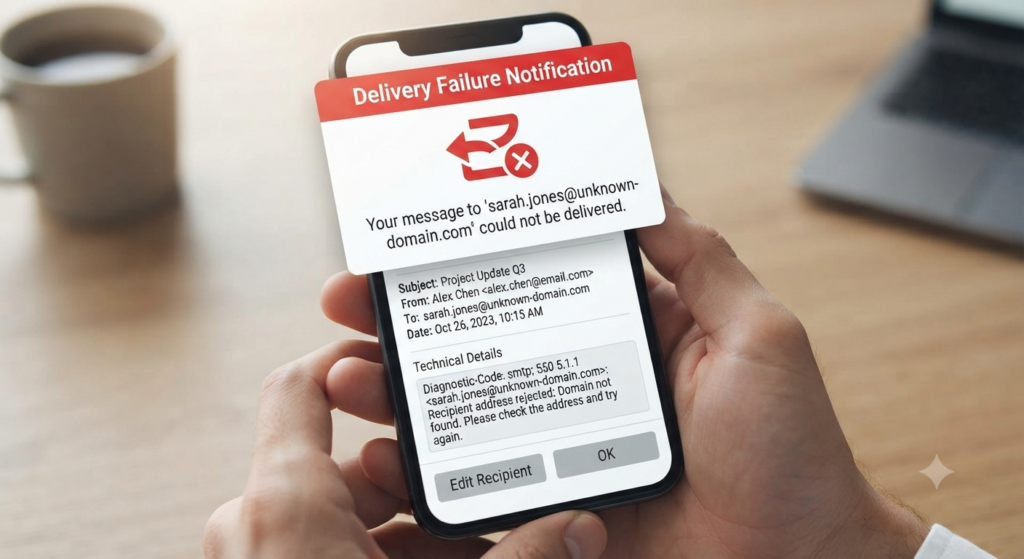
A PR professional posted a short, pointed question to r/PublicRelations recently. When they sent pitches through Muck Rack’s built-in tool, almost nothing bounced. When they exported the exact same list and sent from their own email, bounces piled up. Their conclusion was blunt: is the platform hiding bounces to make its database look more accurate?
The thread that followed produced several competing theories and no resolution. But the question is worth taking seriously, because the same pattern shows up across media databases, and because most people who notice it never diagnose it — they just quietly distrust their list.
Here’s what was reported, which explanations hold up, and how to find out what’s actually happening with yours.
What Was Actually Reported
The specifics matter, because the poster pre-emptively killed the two easiest explanations.
- Sending through the platform: very few bounces.
- Exporting the same list and sending manually: significantly more.
- The lists were small, and the exports matched what appeared in the platform exactly — so nothing was being quietly stripped out on the way to the CSV.
- They were not routing through a separate bulk email service. They were sending from their own email, by hand.
- Most importantly: the bounces they received stated that addresses flagged as verified in the database did not exist.
That last detail is the crux. A “mailbox not found” response is a very different animal from a spam-filter rejection, and it points somewhere specific.
The Theories the Thread Floated
Dead addresses filtered out of exports. The first reply suggested the platform might strip obviously dead contacts before generating an export. Plausible in principle, but the poster had already checked — small lists, exports matching the on-screen list exactly.
Better sending infrastructure. One commenter explained that the platform’s integration sends directly from the user’s connected email account, so messages appear in their own sent folder and use their own mail server and IP — which typically means better deliverability than pushing an exported list through a separate bulk service. They also noted that the platform doesn’t suppress bounces, that invalid addresses generate a bounceback to the user’s own inbox, and that a pitch can still register as delivered if it reached the recipient’s mail server before bouncing later on.
The poster pushed back: they weren’t using a bulk service, so the comparison didn’t apply to their situation.
DMARC and sender reputation. Two commenters landed here, one describing themselves as someone who does heavy email. The argument: the platform’s sending benefits from its own domain configuration and established sending reputation, so more inboxes accept the mail. If you’re sending from a work domain without proper authentication, you’ll fare worse.
Are they even being sent? The sharpest question in the thread came near the end and got almost no attention: can you actually verify that the messages supposedly delivered through the platform were sent at all? More filtering at send time, without a corresponding update to the database, would produce exactly this pattern.
Note the contradiction. One commenter said the platform sends from your mail server and IP. Another said it benefits from the platform’s domain, DMARC configuration, and sending reputation. Those can’t both be fully true, and the difference determines who owns the deliverability problem. The thread never resolved it — which is a useful reminder that even experienced practitioners are often guessing about how their tools actually work under the hood.
The Explanation Nobody in the Thread Landed On
There’s a mechanism that fits every reported fact, and it isn’t suppression. It’s bounce routing.
When a message bounces, the failure notice goes to the envelope sender — the Return-Path — which is not necessarily the address in the From field. Many sending platforms set their own Return-Path so bounce notices come back to them for processing.
Follow that through:
- Platform send: the recipient’s server accepts the message at handshake, then generates a bounce minutes or hours later. That notice routes to the platform’s bounce handler. Your inbox stays quiet. Your dashboard may show “delivered,” because at the moment of sending, it was.
- Manual send: the Return-Path is you. Every one of those same failures lands visibly in your inbox.
Same list. Same dead addresses. Same actual failure rate. Wildly different visibility.
This also explains the detail one commenter raised about pitches showing as delivered before later bouncing — that’s asynchronous bounce behavior, and it’s normal SMTP, not a cover-up.
To be clear, this is a hypothesis, not a finding. I can’t inspect any particular platform’s implementation, and the thread didn’t establish one. But it’s testable, and the test is in the next section.
The reason this distinction matters practically: if bounces are being routed away from you rather than eliminated, then your list quality is worse than your dashboard suggests, and you’ll only discover it the moment you export.
Bounce Basics You Need to Diagnose This
A bounce happens when the recipient’s server rejects your message and returns an error to yours. A bounce rate under 2% is generally acceptable; above that deserves investigation.
Hard bounces are permanent. Causes include an address that’s incorrect or fake — but also, and this is the part people miss, the recipient’s server deliberately blocking you. Corporate mail servers often run strict filters or only accept mail from certain IPs, and some block on purpose. Hard bounces can’t be fixed; the addresses have to come off the list. Leaving them on risks getting your domain blacklisted.
Soft bounces are temporary and mostly harmless: a full mailbox, too many messages to that server in a short window, a server that’s down, an oversized email, or an auto-reply.
Crucially: the exact reason is stated in the error message you receive. That’s your diagnostic instrument, and almost nobody reads it properly.
Read the SMTP code, not the friendly text. The human-readable line often says something loose like “address does not exist.” The numeric code is precise:
| Code | Meaning | What it tells you |
|---|---|---|
550 5.1.1 | Mailbox doesn’t exist | Genuine data problem — the contact is dead |
550 5.7.x | Policy or reputation rejection | Your sending setup, not the address |
421 / 451 | Temporary failure | Soft bounce; retry later |
550 with vague text | Ambiguous | Could be either — see below |
Here’s the wrinkle that makes this genuinely tricky: some mail servers deliberately return misleading “user unknown” responses to senders they don’t recognize or trust. It’s an anti-harvesting measure — it stops people from probing a domain to map out who works there. Which means a bounce reading “this address doesn’t exist” can, in some cases, actually mean “we don’t trust you enough to tell you.”
That single fact reframes the original question. A verified address returning “doesn’t exist” to a manual send but accepting a platform send isn’t necessarily proof of a bad database. It might be proof that your domain has no standing with that recipient’s server.
A Diagnostic Protocol
If you’re seeing this pattern, here’s how to find out what’s true rather than guessing.
1. Capture the raw bounce. Open the full message source and find the SMTP status code. Do this for at least five bounced addresses before drawing any conclusion. If they’re all 5.7.x, the database is fine and your sending setup is the problem.
2. Compare Return-Path headers. Take a message sent through the platform and one sent manually. Look at the Return-Path in each. If they differ, you’ve confirmed that bounce notices route differently — and your two “bounce rates” were never measuring the same thing.
3. Run a controlled split. Pick 20 addresses from the same list. Send 10 through the platform and 10 manually, same day, near-identical content. Then check each individually. This is the only way to isolate the send path from every other variable.
4. Audit your authentication. Confirm SPF, DKIM, and DMARC are correctly configured and aligned for your sending domain. Free tools will check this in under a minute. Domain authentication is one of the standard recommendations for reducing bounces, and it’s the single highest-leverage fix if your codes came back as policy rejections.
5. Check verification dates. Media databases flag contacts as verified, but verification is a snapshot, not a permanent state. Journalism has churned brutally through layoffs and restructuring, and addresses die constantly. A contact verified nine months ago is not a verified contact today. Find out what your platform’s flag actually means and when it was last checked.
6. Verify independently before a big send. Run exported lists through a dedicated email verification service. It costs little, and it separates “this address is dead” from “this server doesn’t like me” before you’ve burned your domain reputation finding out.
7. Escalate with evidence. If steps 1–3 point at the platform, contact support with specifics: message IDs, SMTP codes, exact addresses, dates. A vague complaint gets a templated reply. Five documented 5.1.1 responses on addresses flagged verified last month gets a real answer.
Reducing Bounces on Manual Sends
Regardless of what’s causing the discrepancy, these reduce the damage:
- Keep the list clean. Don’t buy contacts from unknown sources, and build a relationship before pitching where you can.
- Remove hard bounces immediately. Every repeat send to a dead address compounds reputation damage.
- Watch attachment weight. Heavy files and large embedded images trigger soft bounces.
- Segment and pace. Pitch your most engaged contacts first, send regularly but not in bursts. A sudden blast of 300 messages from a domain that normally sends 20 a day looks exactly like a compromised account.
- Proofread the recipient list. Typos remain a leading cause of hard bounces, and they’re the one cause entirely within your control.
- Monitor bounce rates over time. Persistent offenders come off the list permanently.
- Warm a new domain gradually. If you’ve recently moved domains or set up a fresh sending address, volume needs to build over weeks.
So Was the Accusation Fair?
Probably not as stated — but the underlying instinct was sound.
There’s a meaningful difference between a platform concealing bounces and a platform absorbing them. The first would be deceptive. The second is ordinary email architecture, and it produces a database that looks more accurate than it is, without anyone deciding to mislead you. The commenter who described it as disappointing was reacting to a real problem; they just may have had the mechanism wrong.
The practical takeaway is the same either way: your in-platform delivery stats are not a measure of list quality. They’re a measure of what the platform chose to show you. If your outreach depends on that list being accurate — and if you ever export it — verify independently, read your bounce codes, and get your own domain authenticated properly.
The database is a starting point. It was never a guarantee.
Frequently Asked Questions
What’s a normal bounce rate for media pitching? Under 2% is generally acceptable. Above that warrants investigation, both because it signals list decay and because high bounce rates damage your sender reputation.
Does a “does not exist” bounce always mean the contact is gone? No. Some servers return that response to senders they don’t recognize, as a defense against directory harvesting. Check the numeric SMTP code — 550 5.1.1 is a genuine mailbox failure, while 550 5.7.x indicates a policy or reputation block.
Why do platform sends and manual sends produce different bounce numbers? Several possible reasons, but the most likely is that bounce notices route to different addresses depending on the Return-Path. Compare the headers on both to check.
Should I stop using media databases? No — but treat verification flags as time-stamped estimates rather than guarantees, and run independent verification before any significant send.
Sources: the r/PublicRelations discussion “Muck Rack email bounces,” and Prowly’s guide to why email pitches bounce back.


Leave a Reply